使用element-plus的swiper组件实现3D效果
前言
最近开始构建公司官网,需要用到3D效果的轮播图,于是就通过element-plus改造了一个。
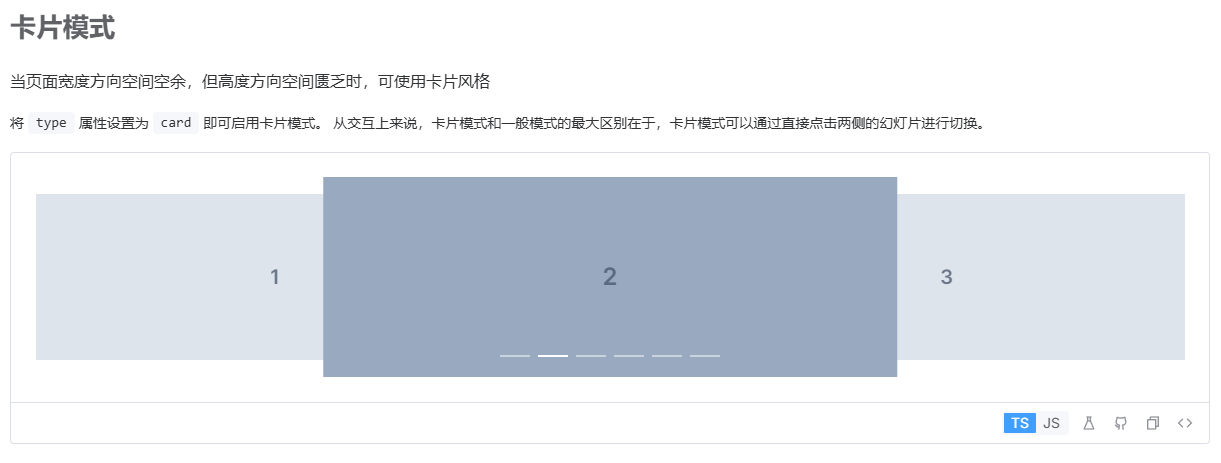
关联功能页面
3D轮播图组件
<template>
  <div class="swiper-container">
    <el-carousel
      ref="carouselRef"
      :interval="3000"
      type="card"
      :card-scale="0.676"
      :autoplay="true"
      :height="carouselHeight + 'px'"
      arrow="never"
      indicator-position="none"
      @change="handleCarouselChange"
      @touchstart="onTouchStart"
      @touchend="onTouchEnd"
      :style="{paddingBottom: carouselPaddingBottom + 'px'}"
    >
      <el-carousel-item
        v-for="(item, index) in productList"
        :key="index"
        :style="getItemStyle(index)"
      >
        <div class="carousel-item" :style="{paddingBottom: activeIndex !== index ? carouselItemPaddingBottom + 'px' : ''}">
          <img
            :src="item.img"
            class="carousel-image"
          />
          <transition name="carousel-mini">
            <img
              v-if="activeIndex === index"
              :src="item.miniImg"
              :style="{ width: miniImageWidth + 'px', height: miniImageHeight + 'px' }"
              class="carousel-mini"
            />
          </transition>
        </div>
      </el-carousel-item>
    </el-carousel>
    <div class="carousel-arrows">
      <img :src="arrowLeftImg" alt="prev" class="prev-arrow" @click="carouselRef.prev" />
      <img :src="arrowRightImg" alt="next" class="next-arrow" @click="carouselRef.next" />
    </div>
  </div>
</template>

<script setup>
import { ref } from 'vue'
import { calculateWidth, calculateHeight } from '@/utils/dimensionCalculator'
import { useWindowResize } from '@/composables/useWindowResize'
const arrowLeftImg = new URL('./imgs/arrow-left.png', import.meta.url).href
const arrowRightImg = new URL('./imgs/arrow-right.png', import.meta.url).href

const productList = [
  {
    img: new URL('@/static/images/home/product/product01.png', import.meta.url).href,
    miniImg: new URL('@/static/images/home/product/product01-mini.png', import.meta.url).href,
  },
  {
    img: new URL('@/static/images/home/product/product02.png', import.meta.url).href,
    miniImg: new URL('@/static/images/home/product/product02-mini.png', import.meta.url).href,
  },
  {
    img: new URL('@/static/images/home/product/product03.png', import.meta.url).href,
    miniImg: new URL('@/static/images/home/product/product03-mini.png', import.meta.url).href,
  },
]

const carouselRef = ref(null)
const activeIndex = ref(0)
const resizeFlag = ref(0)
const carouselHeight = ref(710)
const carouselPaddingBottom = ref(144)
const miniImageWidth = ref(540)
const miniImageHeight = ref(466)
const carouselItemPaddingBottom = ref(30)

// 计算轮播图高度和小图片尺寸
const calculateDimensions = () => {
  const windowWidth = window.innerWidth
  // 1920宽度下高度710,按比例计算
  const height = calculateHeight(1920, 660, windowWidth)
  carouselPaddingBottom.value = height * 0.2
  carouselHeight.value = height + carouselPaddingBottom.value

  // 1920宽度下小图片宽540,高466,按比例计算
  miniImageWidth.value = calculateWidth(540, windowWidth)
  miniImageHeight.value = calculateWidth(466, windowWidth)

  // 计算carousel-item的paddingBottom(基于1360宽度下30px的比例)
  carouselItemPaddingBottom.value = calculateWidth(30, windowWidth * (1360/1920))

  resizeFlag.value++
}

// 切换
const handleCarouselChange = (index) => {
  activeIndex.value = index
}

// 滑动切换轮播图
let startX = 0
const MIN_SWIPE = 50 // 最小滑动距离(像素)

// 只在当前 carousel 上触发,不会全局监听
const onTouchStart = (e) => {
  startX = e.touches[0].clientX
}

const onTouchEnd = (e) => {
  const endX = e.changedTouches[0].clientX
  const diff = endX - startX

  // 左滑 → 下一张
  if (diff < -MIN_SWIPE) {
    carouselRef.value?.next()
  }
  // 右滑 → 上一张
  else if (diff > MIN_SWIPE) {
    carouselRef.value?.prev()
  }
}
// 滑动切换轮播图


// 使用窗口大小监听组合式函数
useWindowResize(() => {
  calculateDimensions()
})

const processIndex = (index, activeIndex, length) => {
    const lastItemIndex = length - 1
    const prevItemIndex = activeIndex - 1
    const nextItemIndex = activeIndex + 1
    const halfItemIndex = length / 2

    if (activeIndex === 0 && index === lastItemIndex) {
      return -1
    } else if (activeIndex === lastItemIndex && index === 0) {
      return length
    } else if (index < prevItemIndex && activeIndex - index >= halfItemIndex) {
      return length + 1
    } else if (index > nextItemIndex && index - activeIndex >= halfItemIndex) {
      return -2
    }
    return index
  }

// 计算偏移(适配 72% 宽度的正确算法)
const calcCardTranslate = (idx) => {
  if (!carouselRef.value?.$el) return 0
  const parentWidth = carouselRef.value.$el.offsetWidth
  const index = processIndex(idx, activeIndex.value, productList.length)
  const diff = index - activeIndex.value

  // 你要的:激活项宽度 72%,所以偏移必须重算
  if (diff === 0) {
    return parentWidth / 8 // 激活项居中
  } else if (diff === -1) {
    return 0 // 左边项
  } else if (diff === 1) {
    return parentWidth * 0.5 // 右边项
  } else {
    return diff < 0 ? -parentWidth : parentWidth
  }
}

// ✅ 关键修复:去掉 async / nextTick,:style 不支持异步
const getItemStyle = (index) => {
  // 依赖resizeFlag,窗口大小改变时重新计算
  resizeFlag.value
  const offset = calcCardTranslate(index)
  return {
    transform: `translateX(${offset}px) scale(1)`,
    transition: 'transform 0.35s ease',
    overflow: 'initial',
  }
}
</script>

<style scoped>
/* 👇 核心:强制激活项宽度 72%,不破坏位置 */
:deep(.el-carousel__item.is-active) {
  width: 75% !important;
}
:deep(.el-carousel__item--card) {
  width: 50%;
  transition: all 0.5s ease;
}

.el-carousel {
  touch-action: pan-y; /* 允许纵向滚动,只拦截横向以外的手势 */
}

/* 只给轮播图区域清除 */
:deep(.el-carousel) {
  -webkit-tap-highlight-color: transparent;
}

/* 你的原有样式全部保留,不动 */
.swiper-container {
  box-sizing: border-box;
  /* width: 100%; */
  padding: 0 100px;
  position: relative;
  user-select: none;
}

.carousel-arrows {
  position: absolute;
  top: 60%;
  left: 24px;
  right: 24px;
  z-index: 99;
  height: 40px;
  display: flex;
  align-items: center;
  justify-content: space-between;
  gap: 20px;
}

.prev-arrow,
.next-arrow {
  width: 52px;
  height: 33px;
  object-fit: contain;
  cursor: pointer;
}

.prev-arrow:hover,
.next-arrow:hover {
  opacity: 0.7;
}

/* 响应式样式 */
@media (max-width: 1200px) {
  .swiper-container {
    padding: 0 80px;
  }
  .carousel-arrows {
    left: 18px;
    right: 18px;
  }
  .prev-arrow,
  .next-arrow {
    width: 44px;
    height: 28px;
  }
}

@media (max-width: 992px) {
  .swiper-container {
    padding: 0 60px;
  }
  .carousel-arrows {
    left: 12px;
    right: 12px;
  }
  .prev-arrow,
  .next-arrow {
    width: 36px;
    height: 24px;
  }
}

@media (max-width: 768px) {
  .swiper-container {
    padding: 0 50px;
  }
  .carousel-arrows {
    left: 9px;
    right: 9px;
  }
  .prev-arrow,
  .next-arrow {
    width: 32px;
    height: 20px;
  }
}

@media (max-width: 480px) {
  .swiper-container {
    padding: 0 40px;
  }
  .carousel-arrows {
    left: 6px;
    right: 6px;
  }
  .prev-arrow,
  .next-arrow {
    width: 28px;
    height: 18px;
  }
}

.carousel-item {
  width: 100%;
  height: 100%;
  display: flex;
  align-items: flex-end;
  justify-content: center;
  position: relative;
}
.carousel-image {
  width: 100%;
  height: auto;
  object-fit: contain;
}
.carousel-mini {
  position: absolute;
  bottom: -18%;
  left: -14.5%;
  object-fit: contain;
  opacity: 1;
  transform: scale(1);
  transition: 0.6s cubic-bezier(0.24, 0.82, 0.7, 0.98);
}
.carousel-mini-enter-active {
  opacity: 1;
  transform: scale(1);
  transition: 0.6s cubic-bezier(0.24, 0.82, 0.7, 0.98);
}

.carousel-mini-leave-active {
  opacity: 0;
  transform: scale(0);
  transition: 0.6s cubic-bezier(0.24, 0.82, 0.7, 0.98);
}

.carousel-mini-enter-from {
  transform: scale(0);
}

.carousel-mini-leave-to {
  transform: scale(0) translateY(10%);
}
</style>
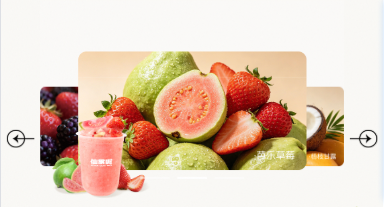
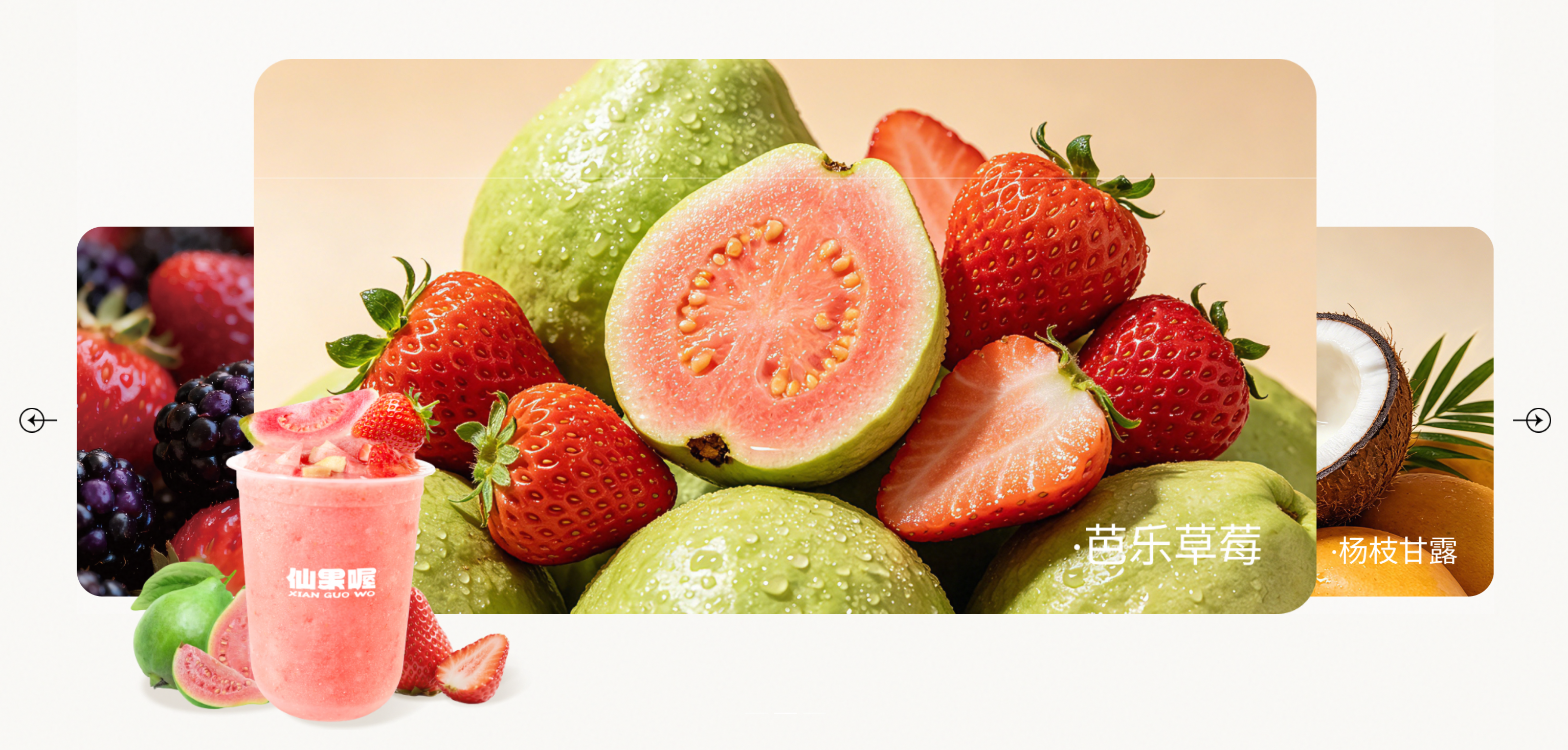
运行效果