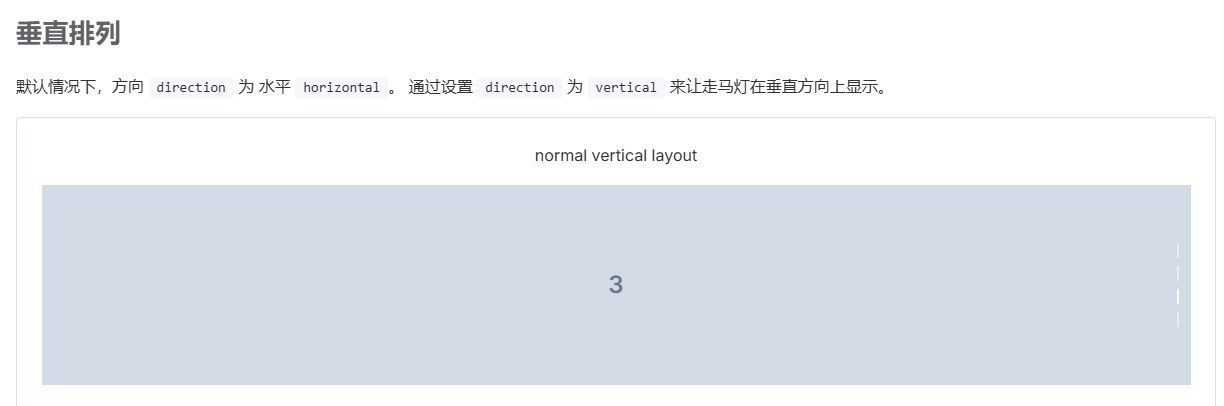
使用element-plus的swiper组件实现垂直效果
前言
最近公司开始构建公司官网,需要用到垂直方向的轮播图,于是就通过element-plus改造了一个。
关联功能页面
垂直轮播图组件
<template>
  <div class="swiper-vertical">
    <el-carousel
      ref="carouselRef"
      :interval="4000"
      :autoplay="true"
      direction="vertical"
      indicator-position="none"
      arrow="never"
      :height="carouselHeight + 'px'"
      @change="handleCarouselChange"
    >
      <el-carousel-item v-for="(item, index) in productList" :key="index">
        <div class="swiper-item">
          <img :src="item.img" alt="">
        </div>
      </el-carousel-item>
    </el-carousel>
    <div
      :style="{
        width: indicatorWidth + 'px',
        height: indicatorHeight + 'px',
        left: indicatorLeft + 'px'
      }"
      class="swiper-indicators">
      <div style="padding-top: 0.6vw;">
        <div
          class="swiper-indicator-arrow iconfont icon-shangjiantou"
          @click="carouselRef.prev">
        </div>
      </div>
      <div
        :style="{ width: miniImageWidth + 'px', height: miniImageWidth + 'px' }"
        class="swiper-indicator-item"
        :class="{'active': miniIndex === activeIndex}"
        v-for="(item, miniIndex) in productList"
        :key="miniIndex"
        @click="carouselRef.setActiveItem(miniIndex)">
          <img  :src="item.miniImg" alt="">
      </div>
      <div style="padding-bottom: 0.6vw;">
        <div
          class="swiper-indicator-arrow iconfont icon-xiajiantou"
          @click="carouselRef.next">
        </div>
      </div>
    </div>
  </div>
</template>
<script setup>
import { ref, computed } from 'vue'
import { calculateWidth, calculateHeight } from '@/utils/dimensionCalculator'
import { useWindowResize } from '@/composables/useWindowResize'

const carouselRef = ref(null)
const activeIndex = ref(0)

// 切换
const handleCarouselChange = (index) => {
  activeIndex.value = index
}
const productList = [
  {
    img: new URL('@/static/images/product/banner/product1.png', import.meta.url).href,
    miniImg: new URL('@/static/images/product/banner/product1-mini.png', import.meta.url).href,
  },
  {
    img: new URL('@/static/images/product/banner/product1.png', import.meta.url).href,
    miniImg: new URL('@/static/images/product/banner/product2-mini.png', import.meta.url).href,
  },
  {
    img: new URL('@/static/images/product/banner/product1.png', import.meta.url).href,
    miniImg: new URL('@/static/images/product/banner/product3-mini.png', import.meta.url).href,
  },
  {
    img: new URL('@/static/images/product/banner/product1.png', import.meta.url).href,
    miniImg: new URL('@/static/images/product/banner/product4-mini.png', import.meta.url).href,
  },
  {
    img: new URL('@/static/images/product/banner/product1.png', import.meta.url).href,
    miniImg: new URL('@/static/images/product/banner/product5-mini.png', import.meta.url).href,
  },
]

// 使用窗口大小监听组合式函数
useWindowResize(() => {
  calculateDimensions()
})

const resizeFlag = ref(0)
const carouselHeight = ref(710)

const indicatorWidth = ref(70)
const indicatorHeight = ref(498)
const indicatorLeft = ref(92)
const miniImageWidth = computed(() => {
  return indicatorWidth.value > 24 ? indicatorWidth.value - 6 : 18
})
// 计算轮播图高度和小图片尺寸
const calculateDimensions = () => {
  const windowWidth = window.innerWidth
  // 1920宽度下高度710,按比例计算
  carouselHeight.value = calculateHeight(1920, 1120, windowWidth)
  indicatorWidth.value = calculateWidth(70, windowWidth)
  indicatorHeight.value = calculateHeight(1920, 498, windowWidth)
  indicatorLeft.value = calculateWidth(92, windowWidth)
  resizeFlag.value++
}
</script>
<style scoped>
.swiper-vertical {
  position: relative;
  margin-top: 88px;
}
.swiper-item {
  height: 100%;
}
.swiper-item img {
  height: 100%;
  width: auto;
  display: block;
}
.swiper-indicators {
  position: absolute;
  top: 50%;
  transform: translateY(-50%);
  display: flex;
  align-items: center;
  justify-content: space-evenly;
  flex-direction: column;
  gap: 1vw;
  background: rgba(25, 52, 11, 0.8);
  border-radius: 50px;
  min-width: 24px;
  min-height: 172px;
}
.swiper-indicator-item {
  display: flex;
  border-radius: 50%;
  cursor: pointer;
}
.swiper-indicator-item:hover {
  transform: scale(1.01);
  box-shadow: 0 0 10px #fff;
}
.swiper-indicator-item img {
  width: 100%;
  height: 100%;
  object-fit: cover;
}
.swiper-indicator-item.active {
  box-shadow: 0 0 10px #fff;
}
.swiper-indicator-arrow {
  height: 20px;
  display: flex;
  align-items: center;
  justify-content: center;
  font-size: clamp(20px, 1.25vw, 24px);
  color: #fff;
  cursor: pointer;
}
</style>
运行效果