UNIAPP空页面组件
前言
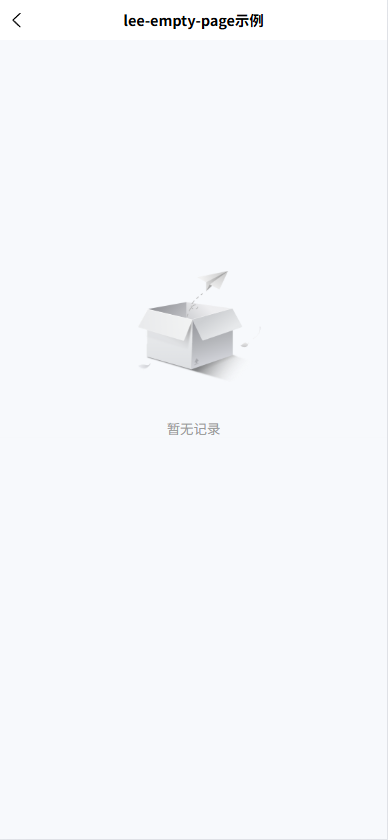
由于公司的项目越来越大,订单列表页,优惠券列表,访问记录页,收藏页,地图页,活动列表页等等,由于列表页面太多,每次都复制一个空列表的代码显得过于繁琐,所以写了一个空页面组件,当列表数组判断为空时,就显示空页面组件。
空页面组件
<template>
  <view class="empty-box" :style="{ paddingTop: paddingTop}">
    <image class="empty-img" :src="emptyImageUrl"></image>
    <view class="empty-text" :style="emptyTitleStyle">{{ emptyTitle }}</view>
  </view>
</template>

<script setup>
const props = defineProps({
  // 距离顶部的内边距
  paddingTop: {
    type: String,
    default: '50%'
  },
  // 空页面的图片地址
  emptyImageUrl: {
    type: String,
    default: '/static/images/components/lee-empty-page/noShopper.png'
  },
  // 空页面的文案
  emptyTitle: {
    type: String,
    default: '暂无记录'
  },
  // 空页面文案的style样式
  emptyTitleStyle: {
    type: Object,
    default() {
      return {}
    }
  }
})
</script>

<style lang="scss" scoped>
.empty-box {
  display: flex;
  align-items: center;
  justify-content: center;
  flex-direction: column;

  .empty-img {
    width: 440rpx;
    height: 360rpx;
  }
  .empty-text {
    color: #999;
    font-size: 26rpx;
  }
}
</style>
运行效果